
Visualization Cards
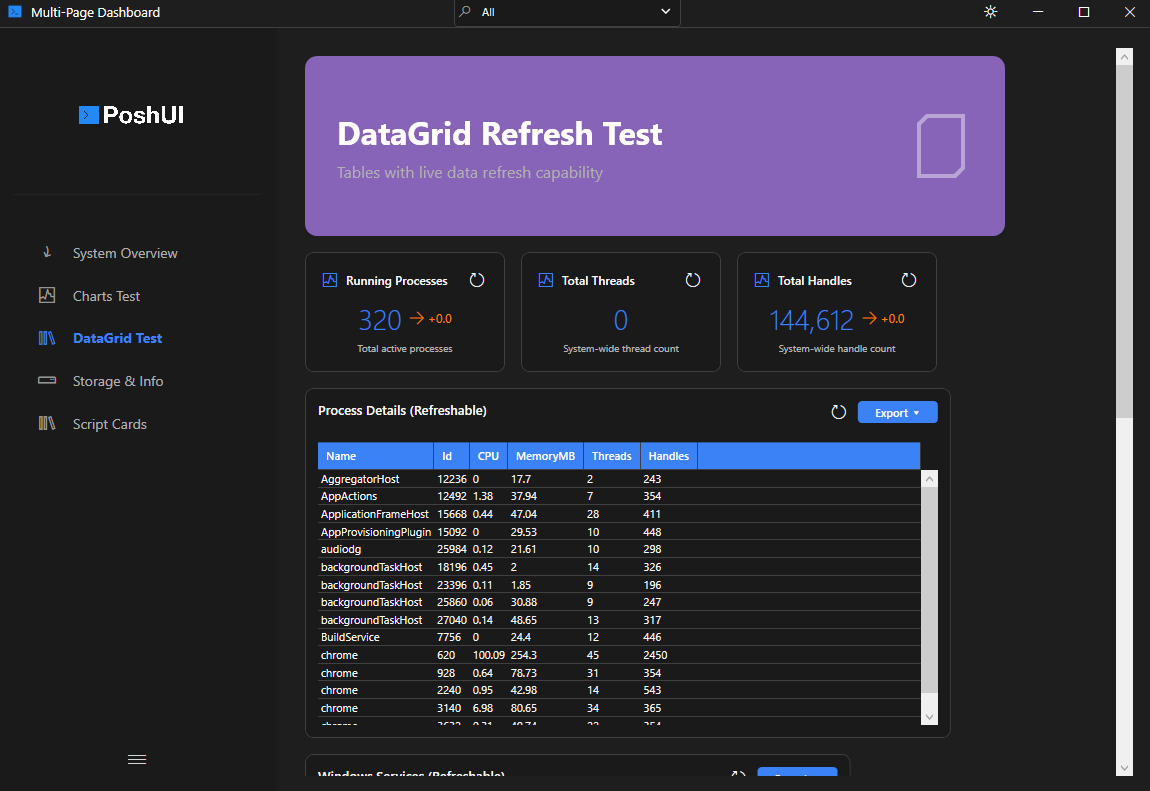
Visualization cards are the primary components of PoshUI dashboards. They provide specialized displays for different types of data.
Adding Cards
Each card type has its own cmdlet, and each takes the step to add it to, a unique name and a title:
Add-UIMetricCard -Step 'Overview' -Name 'Cpu'     -Title 'CPU'       -Value 42 -Unit '%'
Add-UIChartCard  -Step 'Overview' -Name 'Trend'   -Title 'Sales'     -ChartType 'Line' -Data $series
Add-UITableCard  -Step 'Overview' -Name 'Procs'   -Title 'Processes' -Data (Get-Process | Select-Object -First 10 Name, Id)
Add-UIStatusCard -Step 'Overview' -Name 'Health'  -Title 'Services'
Add-UIScriptCard -Step 'Overview' -Name 'Cleanup' -Title 'Clear temp' -ScriptBlock { Remove-Item "$env:TEMP\*" -Recurse -Force }
Supported Card Types
MetricCard
Designed for Key Performance Indicators (KPIs). It shows a large value, an optional unit, a trend indicator, and an icon.
- Use case: CPU usage, memory availability, active user count.
- Key Parameters:
-Value,-Unit,-Trend,-TrendValue,-Icon,-IconPath,-Target.
Add-UIMetricCard -Step 'Overview' -Name 'CPU' -Title 'CPU Usage' `
    -Value 75 -Unit '%' -Target 100 `
    -IconPath 'C:\Icons\cpu_3d.png'   # Full-color PNG icon (v1.3.0)
GraphCard
Displays data in various chart formats.
- Use case: Historical performance, distribution of resources.
- Chart Types:
Bar,Line,Area,Pie. - Key Parameters:
-ChartType,-Data.
DataGridCard
Displays tabular data in a sortable, filterable grid.
- Use case: Process lists, event logs, service status tables.
- Key Parameters:
-Data,-AllowSort,-AllowExport.
InfoCard
A display-only card for providing context or instructions.
- Use case: Dashboard descriptions, help information.
- Key Parameters:
-Title,-Description,-Content,-IconPath.
Add-UICard -Step 'Details' -Name 'ServerInfo' -Title 'Server Info' `
    -Content 'Hostname: SERVER-01' `
    -IconPath 'C:\Icons\server_3d.png'   # Full-color PNG icon (v1.3.0)
Card Customization
All cards support the following common parameters:
| Parameter | Description |
|---|---|
-Title | The bold header text at the top of the card. |
-Description | Smaller text shown below the title. |
-Icon | Segoe MDL2 icon glyph (monochrome). |
-IconPath | Path to a PNG/ICO image file for full-color icons. (v1.3.0) |
-Category | String used for grouping and filtering cards. |
TIP
When both -Icon and -IconPath are specified, the PNG image takes priority. If the file cannot be loaded, the glyph icon is shown as a fallback.
Live Refresh
Cards can be configured to update automatically without reloading the entire dashboard.
Add-UIMetricCard -Step 'Main' -Name 'CPU' `
    -Title 'Live CPU' `
    -RefreshScript { (Get-CimInstance Win32_Processor | Measure-Object LoadPercentage -Average).Average }
TIP
See Live Refresh for more details on scheduling updates.
Next: Script Cards