
Execution & ScriptBody
PoshUI Wizards support two primary execution patterns: Simple Mode (data collection) and Live Execution Mode (real-time automation).
Simple Mode (Data Collection)
In Simple Mode, the wizard is used solely to collect information from the user. Once the user clicks Finish, the wizard closes and returns a hashtable containing all the values entered.
# Show the wizard and capture the result
$result = Show-PoshUIWizard

# Check if user cancelled (returns $null)
if ($null -eq $result) {
    Write-Warning "User cancelled the wizard."
    return
}

# Access the collected values
Write-Host "Deploying to server: $($result.ServerName)"
Live Execution Mode (ScriptBody)
Live Execution Mode allows you to run your automation logic inside the wizard interface. When the user clicks Finish, the wizard transitions to an execution console where they can see your script running in real-time.
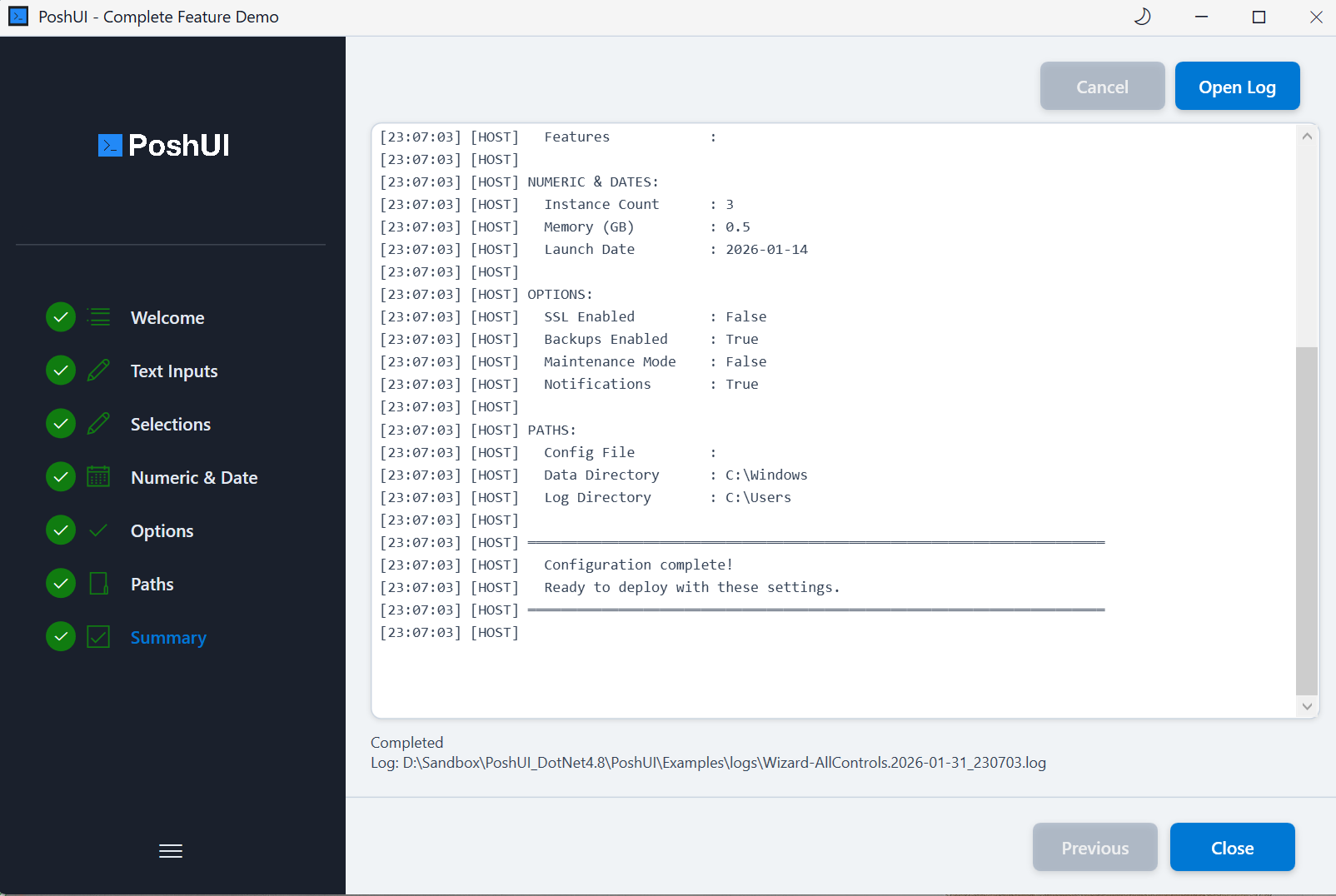
Using the -ScriptBody Parameter
Pass a ScriptBlock to the -ScriptBody parameter of Show-PoshUIWizard.
Show-PoshUIWizard -ScriptBody {
    # All wizard controls are available as variables
    Write-Host "Starting deployment for $ServerName..." -ForegroundColor Cyan

    # Perform long-running tasks
    1..5 | ForEach-Object {
        Write-Host "Configuring component $_..."
        Start-Sleep -Seconds 1
    }

    Write-Host "Deployment Completed Successfully!" -ForegroundColor Green
}
Key Features of Live Execution
- Real-Time Streaming:
Write-Host,Write-Output, andWrite-Progressare streamed directly to the UI console. - Variable Injection: Every control you added to the wizard (e.g.,
-Name 'ServerName') is automatically injected into the script body as a local variable ($ServerName). - Error Handling: If your script throws an error, it is displayed in the console, and the "Finish" button becomes a "Close" button.
WARNING
Do NOT check the $result after using -ScriptBody. In Live Execution Mode, the work is already done by the time the wizard returns. The return value only indicates if the window was closed gracefully.
Execution Context
The script runs in an isolated PowerShell session managed by the PoshUI executable. This ensures that:
- Long-running tasks don't hang the UI thread.
- Environment variables and session state are preserved for the duration of the execution.
- Proper cleanup is performed when the window is closed.
Next: Handling Results