
DataGridCard
Dashboard Module Only
DataGridCards are only available in the PoshUI.Dashboard module. They cannot be used in Wizards or Workflows.
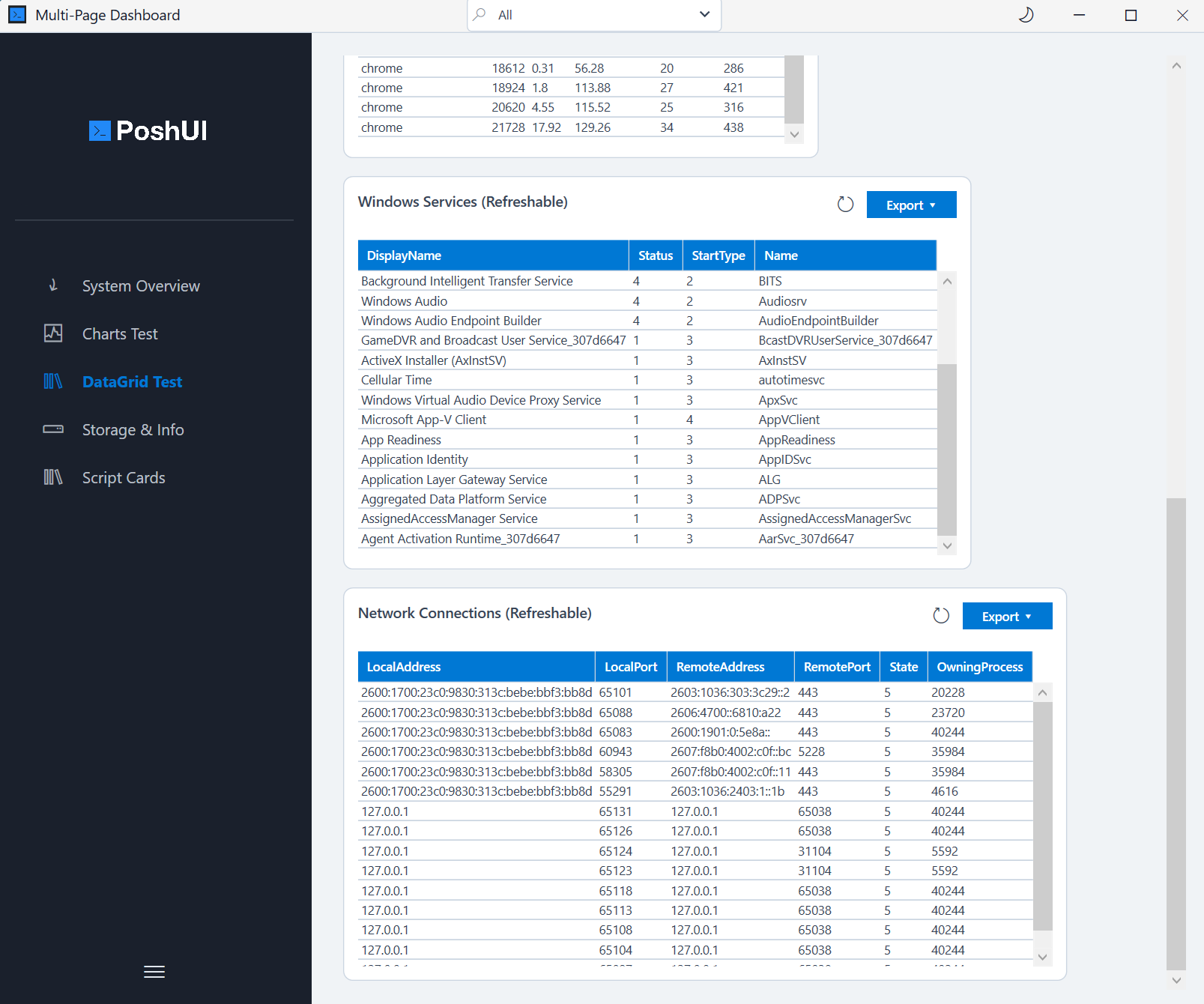
The DataGridCard is used to display tabular data in a sortable and filterable grid. It is ideal for lists of processes, event logs, service statuses, or any PowerShell object collection.
Basic Usage
powershell
$processData = Get-Process | Select-Object -First 10 Name, Id, CPU, WorkingSet

Add-UITableCard -Step 'Overview' -Name 'ProcessGrid' `
    -Title 'Running Processes' -Data $processData
Features
- Automatic Columns: PoshUI automatically generates columns based on the properties of the objects in your
-Datacollection. - Sorting: Users can click column headers to sort data ascending or descending.
- Filtering: A built-in search box allows users to filter the grid in real-time.
- Export: Users can export the current grid view to CSV or TXT files using the export button on the card.
Data Format
The -Data parameter accepts:
- An array of PowerShell objects (e.g., from
Get-ServiceorGet-Process). - An array of hashtables.
- A ScriptBlock that returns one of the above (for Live Refresh).
powershell
Add-UITableCard -Step 'Overview' -Name 'Services' `
    -Title 'Critical Services' `
    -Data { Get-Service | Where-Object Status -eq 'Running' | Select-Object Name, DisplayName, StartType }
Key Parameters
| Parameter | Type | Description |
|---|---|---|
-Data | Object/Array | The collection of objects or hashtables to display. |
-RefreshScript | ScriptBlock | PowerShell code to re-fetch the grid data. |
INFO
In the current version, Sorting, Filtering, and Export capabilities are enabled by default for all DataGridCards to provide the best user experience.
Next: ScriptCard